
.png)
Description
Download AI Dubbing by Captions – AI‑Powered Video Translation & Voice‑Over Tool
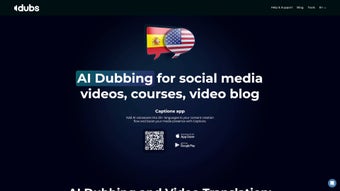
AI Dubbing by Captions is a web‑based platform that transforms the way creators localize video content. By harnessing advanced artificial intelligence, the service can translate spoken words into more than 28 languages while preserving the original speaker’s tone, pitch, and cadence. The result is a natural‑sounding multi‑language voice‑over that feels as if the creator recorded the video in each target language themselves. In addition to dubbing, the application automatically generates subtitles, builds scripts from raw footage, offers a built‑in teleprompter for on‑camera reading, and includes a smart compression engine that reduces file size without compromising visual quality. Whether you produce short‑form social media clips, in‑depth online courses, or personal vlogs, AI Dubbing by Captions gives you a single, secure, and free‑to‑try toolbox that eliminates the need for separate dubbing studios, voice actors, or third‑party subtitle generators. The platform’s intuitive dashboard lets you upload a video, choose the desired languages, and receive a fully dubbed, captioned, and compressed file ready for publishing—all within minutes. This comprehensive approach not only widens your audience reach but also boosts accessibility, SEO performance, and viewer engagement across global markets.
Core Features & Benefits
- AI‑driven voice cloning that mimics your own timbre for authentic dubbing.
- Support for 28+ languages, including high‑quality regional accents.
- Automatic subtitle generation synced to speech timing.
- Video script extraction from existing footage for quick repurposing.
- Integrated teleprompter that scrolls scripts in real time.
- Smart video compression preserving HD quality while reducing file size.
- One‑click export to popular formats (MP4, MOV, WebM).
- Cloud‑based processing – no heavy local hardware required.
- Secure data handling with end‑to‑end encryption.
- Free tier with optional paid upgrades for bulk processing.
The feature set is deliberately built around the needs of modern creators. Voice cloning eliminates the awkwardness of hiring separate actors for each language, while the AI’s contextual understanding ensures that idiomatic expressions are rendered naturally. Subtitles are automatically time‑coded, which saves hours of manual alignment and improves accessibility for hearing‑impaired viewers. The script generator can pull dialogue from any video, allowing you to reuse content across platforms without re‑recording. For on‑camera talent, the teleprompter overlays the script directly onto the video preview, reducing the need for external prompting devices. Finally, the compression engine applies adaptive bitrate algorithms so that the final file remains crisp on mobile devices yet streams efficiently on slower connections. Together, these tools streamline the entire production pipeline—from raw footage to multilingual release—making AI Dubbing by Captions a true all‑in‑one solution for creators who want to grow internationally without inflating budgets.
Installation, Usage & Compatibility
Because AI Dubbing by Captions is a cloud‑native web application, there is no traditional installation process. Users simply navigate to the official website, create a free account, and start uploading videos directly from a browser. The platform supports all major browsers—including Chrome, Firefox, Safari, and Edge—on desktop operating systems such as Windows 10/11, macOS Monterey and later, as well as Linux distributions with up‑to‑date web runtimes. Mobile users can also access the service via responsive web design on Android 9+ and iOS 13+ devices; however, full‑length video processing is recommended on a desktop for optimal performance.
Once logged in, the workflow is intuitive:
- Upload: Drag‑and‑drop your source video or select it from local storage or cloud drives (Google Drive, Dropbox).
- Select Languages: Choose one or multiple target languages from a dropdown menu. The AI automatically detects the source language.
- Voice Profile: Record a short 30‑second sample of your voice (or use the default AI voice). The system creates a personalized voice model in minutes.
- Generate: Click “Start Dubbing.” The backend AI processes the audio, translates, and synthesizes the new voice‑over while aligning it with the original video timeline.
- Review & Edit: Preview the dubbed video, adjust timing, or edit subtitles directly in the built‑in editor.
- Export: Download the final file or publish directly to YouTube, Vimeo, or social platforms via integrated APIs.
The service runs entirely in the browser, but a stable internet connection (minimum 5 Mbps) is recommended for smooth uploading and processing. All user data—including voice samples and video files—is encrypted in transit (TLS 1.3) and at rest (AES‑256). For enterprises, a dedicated VPN tunnel can be configured for added security. The platform also offers an API key for developers who wish to embed dubbing capabilities into custom workflows or SaaS products, extending the tool’s utility beyond the standard UI.
Pros, Cons, Frequently Asked Questions & Final Verdict
Pros
- Authentic voice cloning creates natural‑sounding multilingual content.
- All‑in‑one suite eliminates the need for separate dubbing, subtitle, and compression tools.
- Web‑based interface works on Windows, macOS, Linux, Android, and iOS without installations.
- Free tier provides generous processing limits for hobbyists and small creators.
- Secure cloud storage and end‑to‑end encryption protect intellectual property.
Cons
- High‑resolution video processing can be slower on low‑bandwidth connections.
- Advanced AI voice training may require a clear, noise‑free sample.
- Limited offline capability—requires internet access at all times.
- Premium plans are subscription‑based, which may be a consideration for large enterprises.
- Currently supports 28 languages; niche languages may need manual translation.
Frequently Asked Questions
How does AI Dubbing replicate my voice?
The platform uses a neural voice synthesis model that learns pitch, timbre, and speech rhythm from a short 30‑second recording. After training, the AI can generate speech in any supported language while preserving your unique vocal characteristics.
Can I use the tool for commercial projects?
Yes. The commercial license is included with the paid subscription plans, allowing unlimited distribution of dubbed videos across any platform.
Is there a limit on video length for the free tier?
The free tier permits up to 15 minutes of processed video per month, which is ideal for short social clips or pilot episodes.
What file formats are supported for upload and export?
Input formats include MP4, MOV, AVI, and WebM. Export options are MP4 (H.264), MOV (ProRes), and WebM (VP9), all with configurable bitrate settings.
How secure is my content during processing?
All data is encrypted in transit using TLS 1.3 and at rest with AES‑256 encryption. The platform adheres to GDPR and CCPA standards, and you can request automatic deletion of your files after processing.
Conclusion & Call to Action
AI Dubbing by Captions stands out as a versatile, AI‑powered solution that bridges the language gap for video creators worldwide. Its ability to clone your voice, generate accurate subtitles, and compress videos in a single cloud workflow saves time, reduces costs, and expands audience reach—all without compromising security. While the reliance on a stable internet connection and the current language roster are minor constraints, the overall value proposition is compelling for freelancers, educators, and brands seeking rapid, authentic localization.
Ready to make your videos speak every language? Download AI Dubbing by Captions now, start with the free plan, and watch your global engagement soar.
Guides & Tutorials for AI Dubbing by Captions
How to install AI Dubbing by Captions
- Click the Preview / Download button above.
- Once redirected, accept the terms and click Install.
- Wait for the AI Dubbing by Captions download to finish on your device.
How to use AI Dubbing by Captions
This software is primarily used for its core features described above. Open the app after installation to explore its capabilities.
User Reviews for AI Dubbing by Captions 0
No reviews found




